Category: free
Showing posts with label free. Show all posts

FREE!! All items in my Teachers Pay Teachers Store are FREE!!

Thursday, March 19, 2020 No comments

Hi all,
I know it has been a while since I posted last as I have been super busy as a Learning Experience Designer with LSU Online. I wanted to post to let you know that I have made my entire Teachers Pay Teachers store free. As an educator and mom, it is very important to me that I do what I can to make sure that parents and teachers have access to the materials they need to help their kids and their students. Should you have any questions at all, please reach out to me.

You can access the free site by clicking on the image below or clicking on the link in the above paragraph.


Best,
Kristen Hernandez


Quiznetic...Make your lessons like no other

Monday, January 29, 2018 No comments
About 4 months ago I happened upon a site called Quiznetic. I created an account, tested out the software and found that I love it. Creating a game is very easy to do and you have the ability to have full control over the layout of the game and where players move as they progress through the questions. Quiznetic allows for multiple choice and numeric question types. I really like that you can add your own backgrounds or choose from a gallery of already created backgrounds.


Quiznetic takes gamification and classroom learning to a whole new level. With the style of a traditional board game, this is the ultimate gamified learning experience.
You can create a set of questions and build your own themed revision game for students to race each other around a track or path. Students join the game on their own devices and then have to answer questions to move their player on the game screen. You can display the game on an interactive white board at the front of the class so everyone can see where their player is in real-time. Students can answer the questions using laptops, tablets or phones!


Check out the featureshttps://quiznetic.com/#features


I encourage you to take a look at this site as I think you will find this to be a great addition to your technology toolbox.

Wonderful FREE Printable Posters/Signs for Your Classroom

Friday, April 19, 2013 2 comments
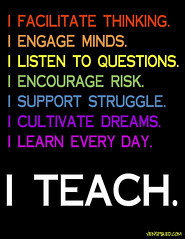
If you have yet to discover www.venspired.com you are missing out. She is beyond awesome and I love her posters. She has graciously allowed teachers to use and print her posters. Just to be on the safe side I contacted her for permission and she said, "Yes Indeed!". 


Krissy Venosdale

I love the messages on the posters and the color schemes. She also has some great information on teaching Gifted students and STEM. I also love her Pinterest page!!

Here are a few examples as she has tons and I mean that!!


I hope you enjoy the work of Krissy Venosdale!

9 McGraw-Hill APPS FREE!

Thursday, April 18, 2013 1 comment
Hi everyone! I wanted to let you know that there are some Literacy and Mathematics McGraw-Hill apps FREE. I have been using a lot of the McGraw-Hill apps with students for awhile and they are wonderful. I hope you are able to download the apps listed below and use them with your kiddos.

Click on the images below to download the apps.

Happy Downloading!!

Literacy
Screen Shot 2013-04-15 at 6.31.07 AM  Screen Shot 2013-04-15 at 6.36.49 AM  Screen Shot 2013-04-15 at 6.57.08 AM

Mathematics

Screen Shot 2013-04-17 at 6.44.16 PM  Screen Shot 2013-04-17 at 6.43.16 PM  Screen Shot 2013-04-17 at 6.42.13 PM  Screen Shot 2013-04-17 at 6.45.42 PM  Screen Shot 2013-04-17 at 6.47.51 PM  Screen Shot 2013-04-17 at 7.06.38 PM

Staff Development Strategies with a Technology Twist

Wednesday, April 17, 2013 No comments

Hi everybody and good morning! I wanted to blog about a site that I learned about in February and have been using ever since. I really enjoy it and the great ideas that are provided! I know as educators we are always looking for new strategies and ways to engage our audience. 

The site is called Professional Learning Communities: Staff Development StrategiesThe strategies that are posted are really great and can be used with students, teachers, and/or principals. The ideas are innovative and incorporate a modern twist. I love the use of technology integration in a lot of them. 

I really like that you can choose your audience, different categories, and learning styles. There are many different aspects of this site as the Staff Development Strategies is only one part. Make sure to check out the Lesson Plans that are chalk full of great technology integration ideas. The goal of the site is to provide best practices for integrating technology into the classroom

I love it and I hope you are able to use this information with your students, teachers, and/or principals.


You do not need to sign up to access to site.

To check out the full site click here-->http://teach.oetc.org


Infuse Learning

Friday, April 12, 2013 No comments

I am excited to blog about Infuse Learning. I have used many different student response services like Poll Everywhere, Hot Potato, Socrative, Discovery Education, Google Forms, and many more. I even use the classroom response systems (love them). Well we know not every district or school can afford a set of classroom response systems, so we need to have other routes. It is extremely important to assess our students before, during, and after classroom instruction. You don't have to do a full out assessment, but just questioning for understanding is important. 

I love Infuse Learning as I have found it very easy to set up and use with students. The online program allows you to push questions, prompts, and quizzes out to students' devices in a private virtual classroom. Only the students you set up on your account can access your quizzes/tests if you set your class up as private. There is an option for Open Enrollment which all the student would need would be the room id to enter.

You can include pictures in your test which I really really like!!! Imagine the possibilities (math, science, social studies, reading, music, art, physical education, etc..). I also enjoy that you can set a language for each student if you wish and allow for students to listen to the audio of a question. Awesome!!!

I also love that it is free and that it works with any Internet-connected device including iPads and Android tablets. You can even use it on a smartphone = )

This site scores big on my book. I hope you enjoy it as much as I have.

Learn more about Infuse Learning in the video below.

Have Fun!!


FREE Creative Writing App..Your Students will Love It!!

Thursday, April 11, 2013 2 comments
Today I want to talk about one of my favorite apps for creative writing. The name of the app is Bill Atkinson PhotoCard - Postcards

And guess what?? It is FREE!! Yes I said FREE!!

I have had the pleasure of using this app with students and teachers and it has been a huge hit!!

What I love about it is not only do they practice their writing, but they also learn the format of a postcard and adding a stamp when mailing.

The students begin by choosing a picture for the front of their postcard, in which they can use the camera from their iPad or iTouch to take pictures (field trips, playground, around the school, geometrical shapes, science experiments, etc..) or they can use the beautiful images within the the app.

Once the image is in place they can begin their writing based on the image they chose. The writing that comes from the students is amazing. They have a blast and they love that they are able to choose and change many things within their postcards. 

This app would be great to use for any subject and grade level, but here are a few ideas I have that will get you started:
    iPhone Screenshot 4
  • Students take a picture of something in nature and they are to write as though they are that picture.
  • Students take pictures while on a field trip, use the app to tell others about their favorite part of the field trip.
  • Students choose an image within the app and are challenged to be as descriptive as they can about the image. Let them know that when you read their postcard you want to feel as though you are that image.
  • Students take pictures and write about famous people, states, countries, ancient times, key vocabulary, authors, composers, etc..
  • Students create a postcard based on Science safety rules and write about the proper ways to act in a lab setting.
  • Students use this app to help them better understand difficult vocabulary words and math problems. They take a picture of the word, what it is or looks like, and then they write about it as if they were teaching someone else.
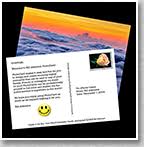
There are other add-ons within the app like stickers. I have the students add stickers and other fun stuff after they have written their postcard.

Once the students complete their postcard, they can email them to their teacher or to family members. If the students forgets the stamp, it will prompt them that every postcard needs a stamp before mailing = )

Fillable Forms and Form Central

Wednesday, April 10, 2013 1 comment
Hi everyone! I don't know about where you live, but it is really cold in Fort Worth. My idea of cold is around 60 degrees. This morning it was around 40 degrees with winds at about 30 mph...talk about chilly!! The weather has gone from the 80's to the 30's in a span of a couple of days, which means I am sick =(
Now that I have ranted about the weather let's move onto some technology.

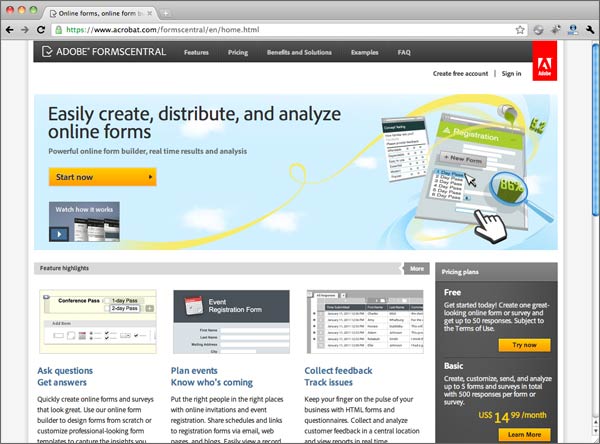
I have a love for fillable forms as they make my life easier. I don't know what I would do without Adobe Professional. My new find is Adobe Form Central...talk about lovely!! You can get a free account (includes one form and up to 50 responses). What I did was I a took a form that I had, made it fillable and then uploaded it to the Form Central site. The site then turns your fillable form into an awesome form...awesome meaning when someone fills out the form and hits submit it automatically sends all the data to a spreadsheet. I am smiling ear to ear because I am so in love. 

Even if you do not have Adobe Professional, you can use one of their own templates to create a fillable form.

I know I can use a Google form and do that (which I am a huge fan of Google Forms), but the layout of my form would have been 10 plus pages as a Google form. Using a fillable form I was able to create my document in Excel, make it fillable, and then upload it to Forms Central.

Make sure to check out Forms Central!!


Creating a Mock Election using Google Forms

Thursday, October 25, 2012 1 comment
I wanted to post about using Google Forms to create a Mock Election for the upcoming election. This is a great way to get your students involved since they are not able to vote yet. I worked with one of my librarians to get the form created and the webpage set up. This has been such an awesome experience!

To learn how to set up a Google Form, check out this article:

Embed a form in a website or blog

If you'd like to embed your form in a website or blog after you create and save your form, click the More actions drop-down menu at the top of the form, select the Embed option, and paste the URL into your site or blog.


Sid the Science Kid

Thursday, October 11, 2012 1 comment
Gerald, May, Sid, and Gabriela. Wecome!

As a technology specialist I am always looking for great technology tools that will increase student motivation and academic success. I want students to have fun as they learn and develop into lifelong learners.

I wanted to spotlight Sid the Science Kid as I really love all the information and materials that are free to students, teachers, and parents.

What is Sid the Science Kid you ask?
The Sid the Science Kid website is designed to develop a students' natural wonder and build a solid foundation for key science concepts.

This site provides free online and offline activities that will surely motivate children to practice and truly discover science concepts as they dig deeper into their own learning.

Free Activities with Videos: www.pbs.org/parents/sid/activitiesIndex.html

Blog for Curious Teachers: www.pbs.org/parents/sid/blogs/teachers/

I hope this website sparks a little curiosity in you and your students. Enjoy and I would love to know how your kiddos like the resources from Sid the Science Kid.


Kristen Hernandez = )
Teacher Playground
www.facebook.com/teacherplayground

Tech Matrix

Wednesday, September 19, 2012 1 comment
TechMatrix Logo

I wanted to blog today about a great site for assistive technology. This site provides tools and resources for students with disabilities and their classmates. Sometimes it can be hard to find good free resources for students with disabilities so this is why I really like this site. This year I have a special needs campus that I know will love and utilize this great site. I have already found some great tools and resources I can use when I go into the classrooms to integrate technology in the best way possible for their needs.


http://www.techmatrix.org


PowerUp What Works

for:

  • Strategic integration of technology and curriculum for Grades 4-6.
  • Improved alignment of technology with initiatives such as:
    • Standards-based instruction
    • Response to Intervention (RTI)
    • Universal Design for Learning (UDL)
    • Teacher assessment
    • 21st century schools
    • http://powerupwhatworks.com/

Science Bob..Rocks!

Monday, September 10, 2012 No comments

I would love to tell you about a wonderful Science site that I think ROCKS!

It is Science Bob!

Science Bob is a fun, interactive site that has several different areas for kids to choose from. There are videos, experiments, science fair ideas, and a research help link with a plethora of fantastic links to other sites.

I know as a Science teacher and now Educational Technology Specialist, I am always looking for resources that will really excite kids about learning and discovering Science. I believe a huge part of understanding Science is about exploring and digging deeper into each concept. I love this site because it is eye catching and will really get students pumped up about what they are learning. This site can be used for a lesson launcher, media inserts in your lessons, the lesson itself, and just about anywhere you want to add it.

If I were you, I would surely make Science Bob a part of my Science Technology Toolbox.


and 


LearnBoost: Lesson Plan Maker

Saturday, September 8, 2012 No comments
I had the chance to get to learn a lot about LearnBoost and I am very impressed with what I see.

This great free tool for Lesson Plan building is awesome and did I mention it was FREE = )

LearnBoost has a lesson plan component that helps you connect planning and instruction to grading and assessment in an instant.There is so much more to LearnBoost, but I just love the ease of use for lesson planning.

To me one of the best parts of this lesson planner is that allows you to include images, videos, charts, maps, and text clippings in your lesson plans. You can even share your lesson plans with your fellow teachers and all media included will be available to them as well.

The lesson planner has a section for Reflection after the lesson in order to tweak for the next time you teach it. I believe in reflecting after a lesson so I love this part.

Give it a try!

Kristen = )


Triptico...Awesome Technology Resource

Thursday, August 16, 2012 No comments

Have you heard of Triptico? I love using this program with students and teachers. It has been very successful and to mention it is FREE, yes I said FREE!! You do have to download it, but it is well worth it.

Here is description of Triptico:
Triptico's desktop app contains over twenty interactive, fully-customisable resources for you to use in your classroom... and it's completely free!


I  would say it is one of the Best Web 2.0 resources out there. It has a sleak and sophisticated look. When you see it, you won't even believe that this is FREE. I had spent so much time looking for free interactive activities to use to meet the needs of my students and teachers, with little luck. When I found Triptico, I was so excited and I had to show the class I was teaching at the time and they were so pumped. I had some teachers yelling out with excitement!!

I hope you enjoy it!
Triptico


Free Apps Today

Wednesday, August 15, 2012 No comments


The following educational iOS apps are free. Download the apps as soon as possible as they can go to paid status at any time.


These apps are really good and you know as teachers it seems like nothing is free and everything teacher wise is expensive. When I saw this list, I jumped on the chance. I hope you do too! 
ABC Champ (spelling game; normally $1.99)
ACT (math lessons; normally $9.99)
Algebra Card Clutter (fast math game)
Ben & Bob Chipmunks (interactive book)
Bodie, California (Museum Planet presents a narrated, digital photo tour of the historic ghost mining town Bodie, California; normally $2.99)
Buzzle (normally $1.99)
Cars in Sandbox: Space Rover (normally $8.99; introduce young children to the Mars Rover and the Moon Rover)
Cyberchase: Ruckus Reader (interactive book; one free story included free; others available for in-app purchase)
Different Book (opposites)
Hide Run Growl (interactive book; normally $1.99)
Hookitty-Tookitty-Tah (interactive book; normally $2.99)
Hurricane by American Red Cross (great for tracking hurricanes, emergency preparedness, and more)
IBM Think (a wonderful app about how progress is made)
iReading HD - Sleeping Beauty (interactive book)
iStory Bally, the Balloon Dog (interactive book; normally $2.99)
iStory to the Rescue (interactive book; normally $2.99)
Jeff the Mis-Fish (interactive book)
JM Abel with No Navel (interactive book)
JM The Naughty Eagle Chicks (interactive book)
JM Untying the Knot (interactive book)
Kids iHelp - Analogy 1.0 (free set with more available through in-app purchase; excellent for practicing logical thinking skills)
Kids iHelp - Analogy 2.0 (free set with more available through in-app purchase; excellent for practicing logical thinking skills)
Luna Red (very cute interactive book about Red Riding Hood; normally $2.99)
Magic Clothes RD (interactive book)
Meet Heckerty (interactive book)
Mink (interactive phonics book)
MuseumApp (create your own museum exhibits; free registration required; normally $5.99)
North Wind (interactive book)
Open Wide Snap (interactive book; normally $1.99)
PeterPan(Unabridged) (audio book; normally $16.99)
Princesses Learn German (interactive book)
Puss in Boots (interactive book; free the whole month of August)
The Race by Lily (interactive book by a little girl)
Slice Wood (puzzle game)
The Tale of Tortoise Buffett and Trader Hare (interactive book about finance for children; normally $1.99)
Tickle Stomp! An Educational Story (interactive book for preschoolers)
Vermeer (art works; normally $1.99)
World Explorer (normally $2.99)

Back 2 School Cyber Search Giveaway

Saturday, August 11, 2012 No comments
Back 2 School Cyber Search Giveaway

Everyone wins over $45 in free gifts from 12 bloggers!

How would you like to download 12 teaching products worth over $45 dollars, absolutely free? If you head over to the Back to School Cyber Search, you can do just that! Twelve of your favorite grade 3 - 6 bloggers have teamed up and donated a total of one dozen great back to school products for everyone who participates.

My Histro

Thursday, August 9, 2012 No comments
Hey everyone! I wanted to tell you about My Histro (interactive timeline) as this was brought to my attention from a poster. I thought I would check it out and I am very impressed. I think it would be great to use with your students, so they can have an up close and personal connection with history which includes the use of technology and media. I also love the collaboration aspect of this tool. My Histro also has an App you can download.


From: http://www.myhistro.com/blog/interactive-timelines-for-teachers-and-students
In today's Web 2.0 world, user generated content and collaboration are what drives knowledge and knowledge sharing. The time of passivity and being subjected to what the web has to offer is long gone. Even "interactive" has been replaced by "social". -Enter myHistro- MyHistro focuses on content creation rather than content consumption. Teachers and the students alike can create free interactive timelines in a few easy steps. 

"Studying a timeline" vs "Creating a timeline"

Now teachers have two great ways of using our timelines to engage their students:
  1. Teachers can create specific timelines, present them in the class using a projector like they would do with a slide deck or let the students navigate the timeline freely on their own in the computer room. Students will be able to find those same timelines later at home and use them as studying material.
  2. Teachers can ask their students to create timelines on a particular subjects as homework. Timelines can also be created with the collaboration of other students. They are a great way of consolidating what has been learned in the class and with them teachers can evaluate the research and writing skills of the student. See this example of timeline created by a student:


eLections...Great Interactive Experience

Tuesday, August 7, 2012 No comments
I have been using eLECTIONS for many years now with students. The kids love it and the educational experience is great. With the elections coming up I thought this would be a wonderful site to blog about.
The grade levels are listed below, but don't be afraid to try it with your kids as I used this with 4th and 5th graders as well.


Cable in the Classroom

eLECTIONS: Your Adventure in Politics


Subjects: Civics, Social Studies, Technology
Grade Levels:
6-8, 9-12
Source:
Cable in the Classroom
Inspired by the classic board game "The Game of Life," players will role-play their own virtual candidates running for President. The one or two-player game is both genuinely entertaining and genuinely educational - with emphasis on delivering a fun learning experience. Kids can play with parents, students with teachers, users of all ages with a friend, classmate, or with a computer-generated opponent. The latest edition of eLECTIONS also offers a computer-generated Third Party candidate.
eLECTIONS is:
  • Accessible: Available for free to anyone with a high-speed internet connection.
  • Multi-sensory: Players see, read, hear and interact with multimedia content from CNN Student News, C-SPAN and History™.
  • Content Rich: Players explore independently how a presidential campaign works - through a fun and interactive experience.
  • Self-directed: Players make the choices that influence the outcome of the game. They continue to learn and explore fundamental election concepts with the "LEARN MORE" content - all at their own pace.


Free Technology Class: Teaching with Technology

Thursday, August 2, 2012 1 comment
Are you looking to spice up your classroom with some cool technology? Do you want to get more tech savvy? Check out this FREE online class.


Teaching with Technology

This class is for teachers who wish to improve their technology pedagogy.